As an Amazon Associate, we earn from qualifying purchases. This post contains affiliate links – if you buy through them, we may earn a commission at no extra cost to you.
Choosing the best walking pad for home office that fits your lifestyle depends on how you plan to use it during your workday. Some users prioritize a steep incline for a more intense workout, while others need a slim, quiet design that hides away easily under furniture. Your choice comes down to your available floor space, your need for app-based tracking, and whether you prefer manual or automatic incline adjustments. The UREVO Smart Walking Pad is the top choice for those who want a complete digital fitness experience, while the Superun Under Desk Treadmill is better for buyers who prioritize side-rail stability and a compact footprint.
All 5 products side by side — scroll sideways to see every column.
| Top Pick | Runner-Up | Best for Incline Training | Best for Heavy Use | Best for Small Spaces | |
| Preview |  |  |  |  |  |
|---|---|---|---|---|---|
| Product | UREVO Smart Walking Pad | T10 Walking Pad | Jogwell Lightweight Walking Pad | Superun Under Desk Treadmill | Walking Pad Mini Compact |
| Brand | UREVO | CYBERGOING | JOGWELL | Superun | Vhorilix |
| Best for | Best Overall | Runner-Up | Best for Incline Training | Best for Heavy Use | Best for Small Spaces |
| The listing says | Bluetooth app for tracking steps and time Virtual routes and MIIT mode programs | Compact walking pad without handrails Fixed 7% manual incline | Motorized incline up to 15% 40" x 16" belt in compact frame | Integrated side support rails 6% incline for calorie burning | 2.5HP motor supports up to 264LBS Slim 109 × 50 × 11 cm profile |
| More information | Price on Amazon | Price on Amazon | Price on Amazon | Price on Amazon | Price on Amazon |
1. UREVO Smart Walking Pad
Best for: Someone who wants to track every step and stay motivated.
This model is built for the user who likes to see data. The Bluetooth integration allows you to sync with an app to monitor your progress, distance, and calories burned. You can also join virtual races or explore different routes, which helps keep things interesting if you walk for long periods during the day.
The unit features a dual shock absorption system with five layers, eight silicone absorbers, and two rubber pads to cushion your steps. It’s designed to be quiet, which is vital if you take calls at your desk. It isn’t for someone who wants a steep, motorized incline, as this model focuses on flat-surface walking and tracking features.
Beyond basic tracking, the app offers a MIIT mode and themed activities to break up the monotony of a standard walk. By racing virtual opponents in 3D environments, you can turn a sedentary workday into a competitive fitness session. This variety is essential for users who struggle to stay consistent with a repetitive routine.
The hardware is equally focused on comfort and convenience. With a 35.43 x 15-inch belt, it provides a stable surface for various paces. The 2.5 HP motor supports speeds up to 4 MPH, making it suitable for both light movement and brisk walking. Because the profile is only 4.1 inches thick, you can easily slide it under furniture once your session ends.
Good if:
- You enjoy tracking fitness data via an app.
- You need a very slim profile for tight storage.
- You want virtual routes to keep your walks engaging.
Skip it if:
- You require a motorized incline for your workouts.
- You prefer a simple, non-connected interface.
- You need a wider or longer belt for a natural running stride.
2. T10 Walking Pad Treadmill Powered By Bosch®
Best for: A user who needs a reliable motor for daily use.
The T10 uses a Bosch motor designed for steady, long-term performance. It offers a manual 7% incline that you set before you start, giving you a bit more of a challenge than a flat surface. This makes it a smart choice if you want to increase your effort without needing a complex motor system for the incline.
The deck is built to support up to 300 lb, making it a robust option for various body types. Because the incline is manual, you must stop to change the angle, which might be frustrating if you like to adjust your intensity mid-workout.
This model is designed for those who prioritize mechanical reliability over automated features. By using a Bosch motor, the unit provides consistent power for walking and brisk walking speeds between 0.6 and 4 MPH. The 15″ x 36″ belt provides enough room for a natural stride, keeping the footprint small enough for home storage.
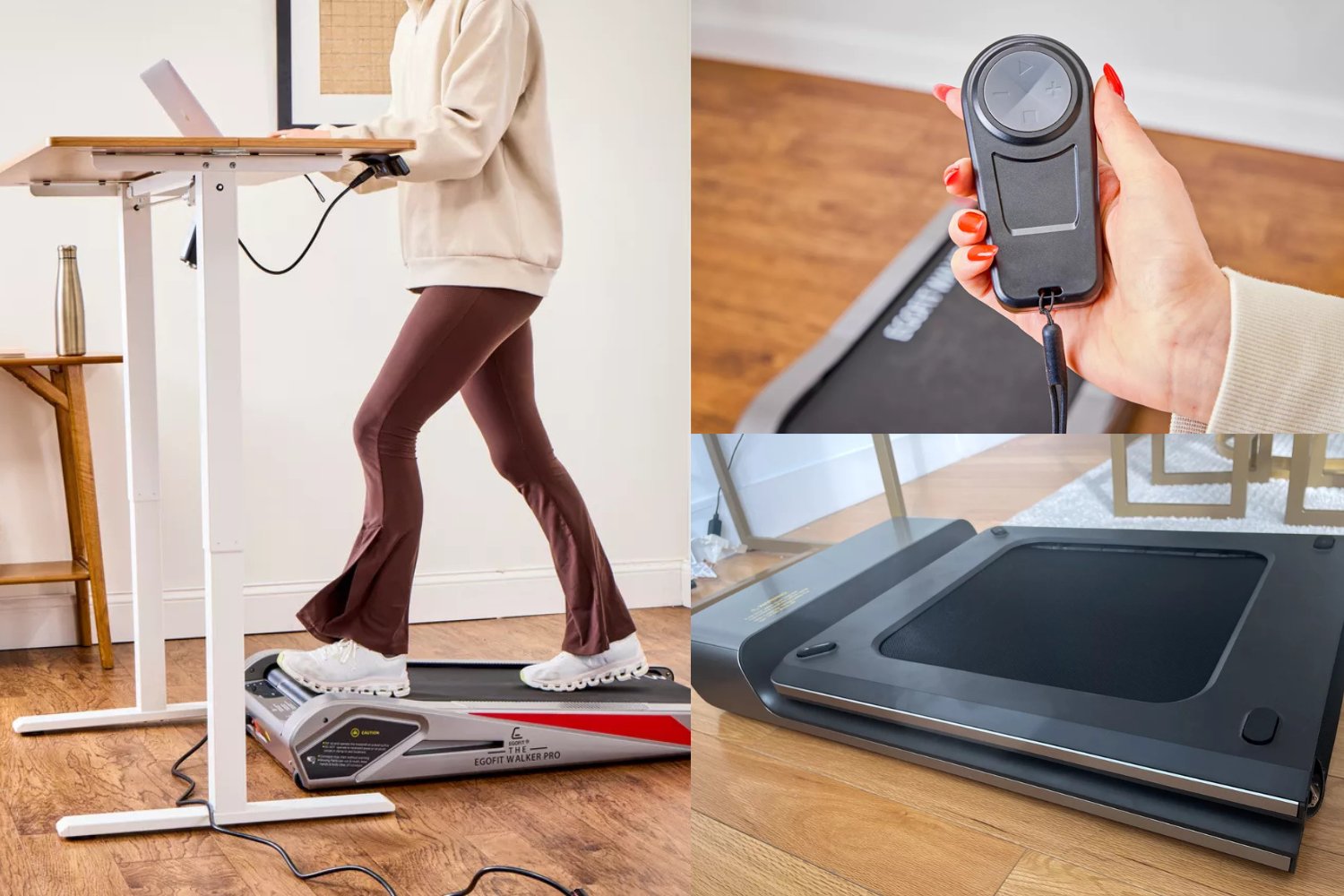
Pairing the remote is a necessary first step for control. Turn the unit on using the side power switch. You have a five-second window to press and hold the power button on the remote until you hear rapid beeps. This confirms the connection is secure. You can also use the Cybergoing app to manage your settings.
Good if:
- You want a motor built for consistent, daily performance.
- You need a higher weight capacity for your home office.
- You prefer a manual incline that feels solid and stable.
Skip it if:
- You want to change the incline while you’re walking.
- You need a handle for extra balance support.
- You require a larger belt surface for a longer stride.
3. Jogwell Lightweight Walking Pad with 15% Auto Incline
Best for: Someone looking for an effective, motorized incline workout.
This pad stands out because it offers a 15% motorized incline. You can adjust the intensity while you walk, which helps you burn more calories without needing to increase your speed. It also includes a 3.0 HP brushless motor, which is designed to be quiet even when running at higher intensities. The remote’s one-touch mute function ensures your adjustments remain discreet during meetings.
The unit uses a four-wheel mobility system, making it easy to roll into storage when you’re finished. It stands independently without leaning against a wall, occupying just 1.5 square feet of floor space. While the drive system is located beneath the deck to keep the footprint small, the 40″ x 16″ walking area provides enough room for natural strides.
The reinforced dual-layer steel frame supports up to 350 lbs, while an 8-point cushioning system helps soften each step. This makes the machine a stable choice for those who want a solid, comfortable feel underfoot during longer sessions. It arrives fully assembled, so you can begin tracking your progress via the smart app immediately.
Good if:
- You want to adjust your incline automatically while walking.
- You need a high weight capacity of up to 350 lbs.
- You prefer a machine that stands upright on its own.
Skip it if:
- You only have a tiny amount of space under your desk.
- You don’t need or want an incline feature.
4. Superun 6% Incline Under Desk Walking Treadmill
Best for: A user who worries about stability while walking and working.
The Superun design includes side support bars that provide stability from front to back. Most walking pads only offer a single front bar, which can be difficult to reach if you stumble. By placing support along both sides, this model ensures that you’re never more than an arm’s reach away from balance. If you feel unsteady on a standard flat pad, this design offers a significant safety advantage.
It also features a fixed 6% incline. While many compact treadmills remain flat, this science-backed angle simulates uphill climbing. This design choice helps you burn more calories in less time, making it a powerful tool for those looking to maximize efficiency during a workday.
At 35 lbs, this is a very portable option. It’s designed to be whisper-quiet, operating at less than 45dB, which is quieter than a library. This makes it ideal for taking phone calls or exercising late at night without disturbing your neighbors or family. Because it features a slim 3.94-inch profile and smooth-rolling wheels, you can easily slide it under a sofa or bed when your workout ends.
Good if:
- You want extra stability support on the sides.
- You need a very lightweight unit to move often.
- You want a quiet motor for use during phone calls.
Skip it if:
- You’re very tall and need a longer stride area.
- You prefer a manual, non-motorized incline.
- You require a speed range higher than 3.8mph for intense running.
5. Walking Pad Mini Compact
Best for: Someone living in a small apartment or tight office.
This is the most compact option, with a very slim profile that fits easily under a sofa or bed. It uses a 2.5HP motor and a 1–6 km/h speed range, which is perfect for a light stroll while you work. The diamond-texture belt provides good grip, and the silicone absorbers help keep the impact low.
The 5-layer belt construction is the standout feature here. By combining rubber cushioning with a specific diamond texture, the machine minimizes the stress walking puts on your joints. This makes it a practical choice for long sessions where you might otherwise feel fatigue in your feet or knees.
It’s a simple, no-fuss machine that’s ready to use right out of the box. Because it arrives fully assembled, you don’t need to worry about tools or complex instructions. It isn’t for someone who wants advanced features like an automated incline or complex app integration, as this model focuses on the essentials of walking while working.
The built-in LED display tracks your speed, distance, time, and calories in real time. This gives you immediate feedback on your movement without needing a smartphone nearby.
Good if:
- You have very limited storage space in your room.
- You want a simple, “plug and play” setup.
- You need a lightweight machine that’s easy to relocate.
Skip it if:
- You want to track your progress via an app.
- You need an incline feature for your workouts.
- You require a larger surface area than the 38.5 × 94 cm walking deck provided.
Choosing the best walking pad for your home office
Most of these walking pads share a core set of features designed for the modern office. Almost all models here include a remote control, transport wheels, and a speed range that allows for both slow desk walking and faster, brisk walks. They also emphasize quiet operation, as they’re specifically marketed for home-office environments where noise would be a disruption.
The UREVO Smart Walking Pad and the Jogwell Lightweight Walking Pad both lean heavily into digital tracking, making them similar for the data-focused user. These models integrate with apps to monitor steps, distance, and calories, effectively turning routine walks into gamified sessions with virtual routes and competitions.
Meanwhile, the T10 Walking Pad and the Superun Under Desk Treadmill share a focus on physical durability and weight capacity. These units prioritize structural stability, often featuring reinforced frames or specialized motors to support heavier users while maintaining a slim profile.
If you don’t need an incline, the differences between these units often come down to the specific weight limit and the quality of the motor. You should check the horsepower rating if you plan to use the pad for longer, daily sessions rather than just occasional movement.
If you do need an incline, the choice is between manual adjustments or the convenience of a motorized system. Manual options, like the T10, require you to set the angle before you start, while motorized models, such as the Jogwell, allow you to adjust the intensity on the fly. This distinction is critical if you want to switch between relaxed desk walks and challenging uphill workouts without stopping your momentum.
Still Not Sure?
How much space do I actually have for storage?
If you live in a small apartment, you should measure the height of your furniture. Some models like the Walking Pad Mini Compact are designed specifically for the tightest spaces. Others, like the Jogwell Lightweight Walking Pad, are taller and designed to stand upright. The Superun Under Desk Treadmill is a great choice if you need something lightweight that slides easily under a bed.
Do I really need an incline for my goals?
An incline changes the muscles you use and increases how many calories you burn. If you want a more intense workout without running faster, look at the Jogwell Lightweight Walking Pad with its 15% auto incline. However, if you’re just trying to get more steps in while you type, a flat pad is often easier to use.
Will I be distracted by the controls or the noise?
If you’re taking video calls or working in a shared room, the motor noise and the beep of the remote are important. The Jogwell Lightweight Walking Pad features a one-touch mute function to turn off control sounds, which is very helpful. If you prefer a quiet, simple experience, the Superun Under Desk Treadmill is built to run very softly. Think about your environment before you choose between a high-tech app-based model like the UREVO Smart Walking Pad or a quieter, simpler one.
Frequently Asked Questions
Do I need to assemble the walking pad before I use it?
Most of these models come fully assembled, meaning you can start walking as soon as you plug them in. The Superun Under Desk Treadmill and the Walking Pad Mini Compact are designed for “out of the box” use without any tools.
How does the weight capacity affect the long-term use of the pad?
The weight capacity indicates how much stress the frame and motor can handle safely. Models like the Jogwell Lightweight Walking Pad support up to 350 lbs, which means the steel frame and motor are reinforced for heavier use.
Can I use these walking pads on carpet or hardwood floors?
Most manufacturers design these pads to be used on flat, level surfaces. While they work on both carpet and hardwood, using a mat underneath is a common practice to protect your floor and reduce noise further. The UREVO Smart Walking Pad and the T10 Walking Pad are both built with slim profiles that generally work well on most stable indoor surfaces.
What is the difference between manual and motorized incline?
A manual incline requires you to stop the treadmill and adjust a lever or stand, while a motorized incline allows for angle changes via remote or app while walking. Manual models are simpler and more reliable, whereas motorized versions are better for varying your intensity during a single session.
Conclusion
The UREVO Smart Walking Pad is ideal for those seeking digital tracking, while the Superun Under Desk Treadmill offers side-rail stability and a quiet motor. Evaluate your available space and your preference for data tracking to determine the best fit. Click the product link to check current availability and begin your setup.