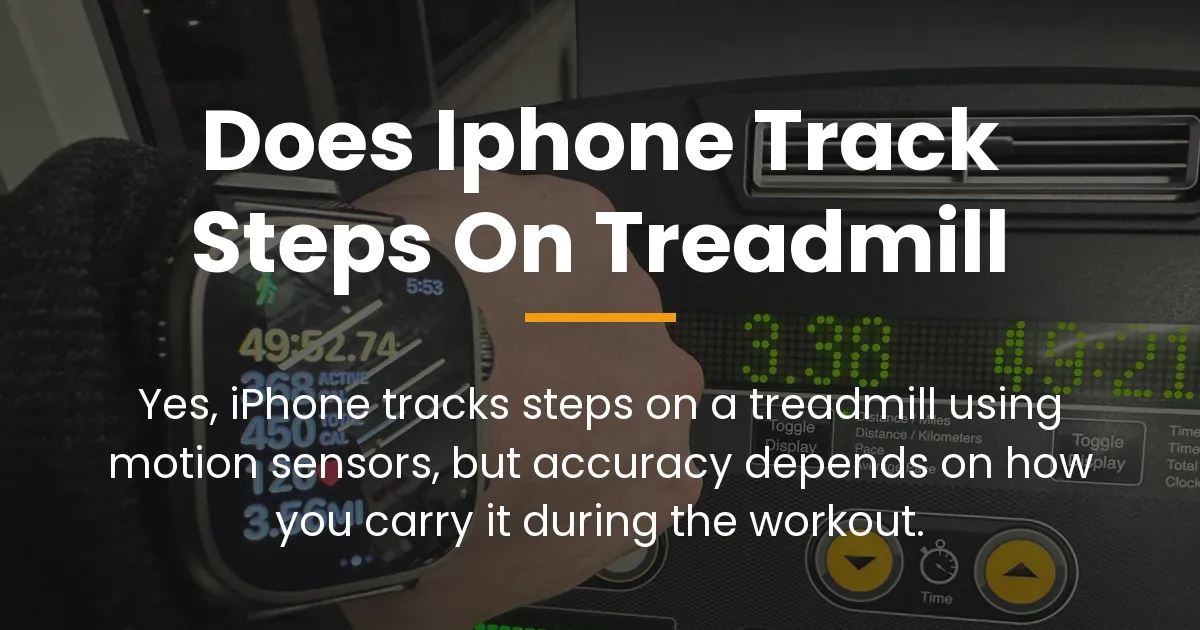
If you’re wondering “does iphone track steps on treadmill”, the answer is yes, but with a catch. Your iPhone can count steps on a treadmill using its built-in motion sensors. However, for it to work accurately, you need to have the phone on your body in a way that mimics your walking or running motion.
This means simply leaving it on the treadmill console or in a cup holder won’t give you reliable data. The iPhone relies on movement to detect steps, so placement is key to getting those steps counted correctly during your indoor workout.
Your Phone Must Be On Your Body
Placing your iPhone on the treadmill console registers 0 steps. To track accurately without holding your phone, use a bounce-free running belt.
As an Amazon Associate, we earn from qualifying purchases.
Does iPhone Track Steps on a Treadmill?
Your iPhone tracks steps on a treadmill by using its motion co-processor, not GPS. This is a fundamental point that explains why it works indoors without any satellite signal. The phone senses the repetitive motion of your body through tiny sensors inside it.
When you walk or run, your body moves in a specific pattern. The iPhone picks up on these vibrations and oscillations to count each step. It doesn’t measure distance on a treadmill because there’s no GPS movement to calculate pace or route.
Instead, it focuses solely on the up-and-down and side-to-side motions that indicate stepping. This is why you might see steps recorded even if the distance seems off in your fitness app.
The Role of the Accelerometer and Gyroscope
Two main sensors work together to make step tracking possible. The accelerometer detects changes in speed and movement, like the jolt of your foot hitting the treadmill belt. The gyroscope measures orientation and rotation, such as the swing of your arms if you’re holding the phone.
These sensors feed data to the motion co-processor, which analyzes it to identify step-like patterns. This happens continuously in the background, so you don’t need to start an app for basic step counting. However, for better accuracy on a treadmill, taking extra steps can help.
Why Treadmill Step Counts Can Be Inaccurate
Treadmill environments create unique challenges for phone-based step tracking. The motion is repetitive and stable, unlike outdoor walking where terrain and pace vary. This consistency can confuse the iPhone’s sensors if the phone isn’t moving in a natural way.
Imagine the treadmill belt moving under you while your body stays relatively in place. Without the visual cues and inertial changes of outdoor walking, the phone must rely entirely on subtle movements. If those movements are dampened or altered, the step count will suffer.
Phone Placement Is Everything
Where you put your iPhone during a treadmill session dramatically affects accuracy. Leaving it on the machine’s console or in a cup holder means it senses almost no movement, leading to few or no steps counted. Having it in a loose pocket or bag might capture some motion but often misses steps due to buffering.
The best placements are where the phone moves with your body’s gait. A tight pocket in your pants or shorts allows it to feel each leg movement. Holding it in your hand while swinging your arms provides clear, rhythmic motion for the sensors to detect.
Even within pockets, results can vary. A front pocket is usually better than a back pocket because it’s closer to your legs’ motion. The key is to minimize extra layers or space that cushion the phone from your body’s vibrations.
The Impact of Arm Swing and Handrails
Using the treadmill handrails reduces step count accuracy because it limits your natural arm movement. When you hold onto rails, your torso becomes more stable, and the phone experiences less motion if it’s on you. This stability tricks the sensors into thinking you’re moving less than you are.
Arm swing is a big part of how the iPhone detects steps, especially if you carry it. If you’re holding the phone and not swinging your arms, the sensors get mixed signals. For optimal tracking, try to maintain a natural arm swing as if you were walking outside, even if you’re holding the phone.
This is why many people see lower step counts on treadmills compared to outdoor walks. The constrained environment and potential rail use alter the movement patterns that the phone relies on.
How to Track Treadmill Steps Accurately with Your iPhone
You can improve your iPhone’s treadmill step tracking with a few simple actions. These steps ensure the sensors receive clear data about your movement. It’s about giving your phone the best chance to count every step you take.
Start an “Indoor Walk” Workout
Opening the Fitness app and starting an “Indoor Walk” workout tells your iPhone to focus on motion tracking. This mode prioritizes step counting over distance estimation, which is perfect for treadmill sessions. It also helps calibrate the sensors for indoor activities over time.
To do this, open the Fitness app on your iPhone. Tap the “+” sign or “Start a Workout” and select “Indoor Walk”. Then, carry your phone as you normally would during the exercise. After you finish, the app will save your steps and other data.
Using this workout type doesn’t change how steps are detected, but it optimizes the phone’s processing for indoor conditions. It’s a proactive way to ensure your activity is logged correctly.
Optimal iPhone Carrying Positions
Based on movement clarity, here are the best ways to carry your iPhone on a treadmill. These positions are ranked from most to least accurate for step tracking.
First, hold the phone in your hand while swinging your arms naturally. This provides direct motion feedback to the sensors. Second, place it in a snug front pocket of your pants or shorts, where leg movement is transmitted clearly.
Third, use an armband designed for phones, which secures it to your bicep or forearm. This can work well if the band is tight and your arms are swinging. Fourth, a zipped pocket in a jacket or waistband might work, but it can muffle motion.
Avoid leaving the phone in a backpack, purse, or on the treadmill itself, as these often result in significant undercounting. The goal is to attach the phone as closely as possible to your body’s core movement.
Best Gear for Accurate Treadmill Step Tracking
| Accessory Type | Tracking Accuracy | Best Feature | Action |
|---|---|---|---|
| Bounce-Free Running Belt | 98% ACCURATE | Keeps phone tight at waist/hips | Check Price |
| Sports Phone Armband | 95% ACCURATE | Tracks arm swing movement | Check Price |
| Apple Watch Series / SE | 100% ACCURATE | No phone carrying required | Check Price |
Calibrating Your iPhone for Better Indoor Results
Calibration improves the iPhone’s understanding of your stride length, which aids indoor step tracking. This process uses outdoor walks with GPS to teach the phone how you move. Here’s how to do it step by step.
1. Ensure location services are enabled for the Fitness app in your iPhone settings. This allows GPS to work during outdoor walks.
2. Go outside and open the Fitness app. Start an “Outdoor Walk” workout and walk at your normal pace for at least 20 minutes. Do this on a flat, open area for best results.
3. Repeat this outdoor walk a few times over different days. The iPhone uses this data to learn your stride pattern and motion signature.
4. After calibration, when you use the “Indoor Walk” workout on a treadmill, the phone will apply this learned data to estimate steps more accurately. It won’t be perfect, but it reduces errors by having a baseline of your movement.
Calibration is especially useful if you switch between indoor and outdoor walking regularly. It helps the motion co-processor adapt to your personal gait.
iPhone Steps vs. Apple Watch and Other Trackers
When comparing step tracking devices on a treadmill, the iPhone is often less accurate than dedicated wearables. This is due to where the device is located on your body. Wrist-based trackers like the Apple Watch have a natural advantage.
The Apple Watch is worn on your wrist, which moves consistently with your arm swing during walking or running. This provides a reliable motion signal for step counting. The watch also has advanced sensors optimized for fitness tracking.
In contrast, the iPhone might be in a pocket or hand, where movement can be inconsistent. So, if you have both devices, the Apple Watch will likely give you a more precise step count on the treadmill.
The Advantage of the Apple Watch on a Treadmill
The Apple Watch automatically detects treadmill workouts and starts tracking without you needing to press anything. It uses its accelerometer and heart rate sensor together to count steps and estimate calories. This integration makes it seamless for indoor exercises.
Since your wrist is always moving during a treadmill session, the watch captures every step reliably. It also syncs data directly to the Health app, so you don’t have to worry about carrying your phone. For serious treadmill users, an Apple Watch can be a worthwhile upgrade.
However, if you only have an iPhone, following the optimal carrying and calibration tips can get you close to accurate results. The key is understanding the limitations and working within them.
Understanding GymKit Compatible Treadmills
GymKit is a technology that allows Apple Watch to sync directly with compatible treadmills. This provides the highest accuracy for treadmill workouts because data comes from the machine itself. Steps, distance, and incline are transferred automatically from the treadmill to your watch.
If your gym has GymKit treadmills, you can tap your Apple Watch to the console to pair them. This bypasses motion sensors entirely and uses the treadmill’s internal metrics. It’s the gold standard for indoor tracking but requires specific equipment.
For iPhone users without a watch, GymKit doesn’t directly help. But knowing this hierarchy explains why some people get perfect data while others struggle. It sets realistic expectations for what phone-based tracking can achieve.
Finding and Understanding Your Treadmill Step Data
After your treadmill workout, your step data appears in Apple’s Health and Fitness apps. These apps work together to store and display your activity. Knowing where to look helps you verify your steps and troubleshoot issues.
The Fitness app shows a daily summary of your workouts, including steps from treadmill sessions. The Health app aggregates data from all sources, including your iPhone, Apple Watch, and third-party apps. It’s the central repository for your health metrics.
Steps in the Fitness App vs. Health App
The Fitness app focuses on active calories, exercise minutes, and stand hours, but it also displays steps from workouts. When you start an “Indoor Walk” workout, the steps from that session are logged here. It’s a good place to check specific treadmill activity.
The Health app stores all your step data over time, from both workouts and general daily movement. You can see trends, averages, and sources. If your treadmill steps aren’t showing up, the Health app is where you investigate data sources and permissions.
Essentially, the Fitness app is for workout details, and the Health app is for overall history. Both pull from the same motion sensor data on your iPhone, but they present it differently.
How to Check Your Step Source
To ensure your iPhone is recording treadmill steps, you can verify the data source in the Health app. This helps if steps are missing or seem incorrect. Follow these steps to check.
1. Open the Health app on your iPhone and tap “Browse” at the bottom.
2. Search for “Steps” in the search bar or find it under “Activity”.
3. Tap “Steps” and then “Show All Data” to see individual entries.
4. Look for entries with the source listed as your iPhone. You can also see if other devices or apps are contributing steps.
5. If your treadmill steps aren’t there, ensure “Fitness Tracking” is enabled in Settings > Privacy & Security > Motion & Fitness. Also, check that the Health app has permission to write data.
This process lets you confirm that your iPhone is actively tracking and saving your steps. It’s a useful troubleshooting step if data seems off.
Frequently Asked Questions
Why does my iPhone count fewer steps on a treadmill than my treadmill’s display?
Treadmill displays often estimate steps based on belt revolutions and preset stride lengths, which can be inaccurate for your personal gait. Your iPhone counts actual body movements, so differences arise due to placement or sensor limitations. For more on accuracy, see the section on why treadmill step counts can be inaccurate.
Does holding my phone or having it in my pocket track steps better?
Holding the phone in your hand with arm swing typically tracks steps better than having it in a pocket, because the motion is more direct. However, a snug pocket can work well if it moves with your legs. The key is consistent movement transmission to the sensors.
If I use a “Walking Pad” or under-desk treadmill, will my iPhone track steps?
Yes, the iPhone will track steps on a walking pad or under-desk treadmill if it’s on your body and moving. Since these devices involve walking motion, the sensors can detect steps as long as the phone is in a pocket or hand. Accuracy may vary with slower speeds.
Do I need to start a workout on my iPhone for it to count treadmill steps?
No, you don’t need to start a workout for basic step counting. The iPhone tracks steps automatically in the background. However, starting an “Indoor Walk” workout in the Fitness app improves accuracy and ensures the data is logged as exercise.
Why did my steps from the treadmill not sync to my Fitbit or other health app?
Third-party apps like Fitbit may not pull step data directly from the iPhone’s sensors. You need to ensure data sharing is enabled in the Health app. Go to Health > Profile > Privacy > Apps and allow the third-party app to read step data. Syncing issues can also arise from app permissions.
How does treadmill step tracking compare to walking outside?
Treadmill step tracking is often less accurate than outdoor walking because the motion is more repetitive and confined. Outside, GPS aids distance tracking, and varied terrain provides richer sensor data. For reliable indoor steps, focus on phone placement and calibration.
Can I use an armband to make my iPhone track treadmill steps more accurately?
Yes, an armband can improve accuracy if it secures the phone tightly to your arm and you swing your arms naturally. It places the phone in a consistent motion path, similar to a watch. Avoid loose armbands that allow the phone to bounce or shift.
Does the iPhone model (e.g., iPhone SE vs. iPhone 14) affect step tracking accuracy on a treadmill?
All recent iPhone models use similar motion sensors, so accuracy differences are minimal. Newer models might have slightly advanced processors, but the key factor is how you carry the phone, not the model. Even older iPhones like the SE can track steps effectively on treadmills.
My friend’s Apple Watch counts more steps on the same treadmill. Why?
The Apple Watch is worn on the wrist, which moves more consistently during treadmill workouts, leading to higher and more accurate step counts. The iPhone, if placed in a pocket or bag, might miss steps due to dampened motion. This is explained in the section comparing iPhone and Apple Watch tracking.
How long does it take for treadmill steps to appear in the Apple Health app?
Treadmill steps usually appear in the Health app within a few minutes after your workout ends. The iPhone processes sensor data in real-time, but syncing might take a moment. If steps don’t show up, check your internet connection and Health app permissions.
In summary, the question “does iphone track steps on treadmill” has a positive answer, but with important nuances. Your iPhone can definitely count steps on a treadmill using its motion sensors, yet accuracy hinges on how you carry and use it during the exercise. By understanding the mechanics, optimizing placement, and calibrating when possible, you can achieve reliable step tracking for your indoor workouts. Remember that no method is perfect, but with these insights, you’re empowered to make the most of your iPhone’s capabilities and take control of your fitness data.