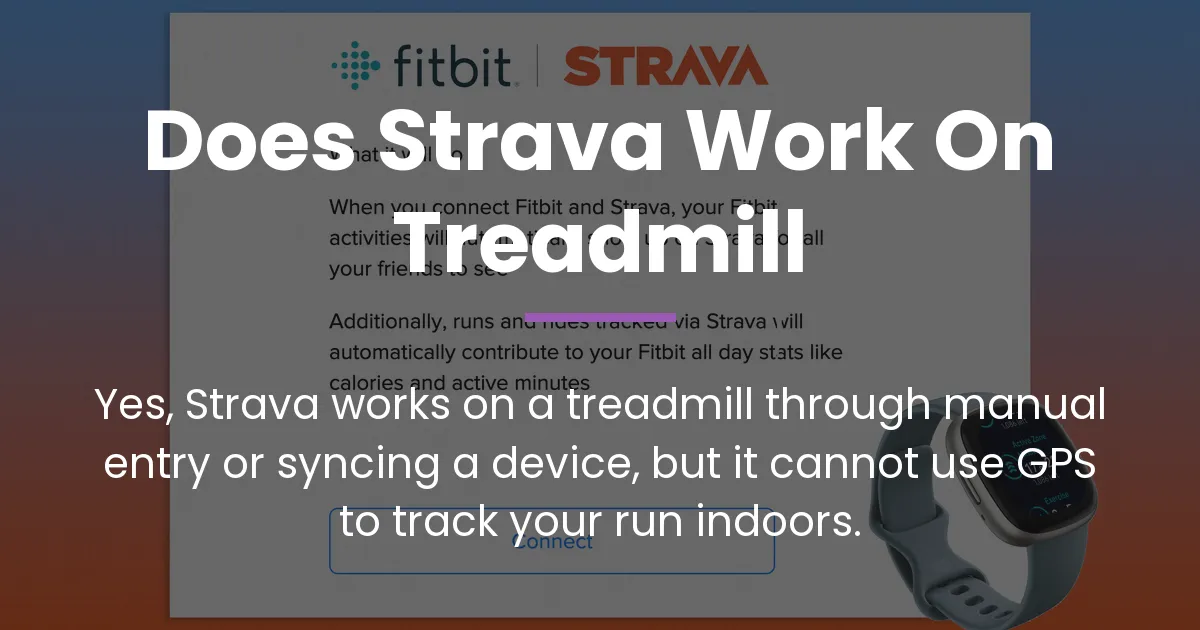
If you’re asking, “does strava work on treadmill,” the direct answer is yes, but not in the way you might expect. Strava relies on GPS for outdoor runs, which is useless on a stationary treadmill. Instead, you can log your treadmill runs in two main ways: by manually entering the data yourself or by syncing information from a connected smartwatch or sensor. This guide will walk you through both methods, explain the trade-offs, and show you how to get the most out of your indoor sessions on Strava.
Does Strava Work on a Treadmill?
Strava does work on a treadmill, but it cannot track your run automatically using its standard GPS feature. Since you are not moving across the ground, there is no change in location for the app to measure. This fundamental limitation means you must take an extra step to record your workout. Your options are to manually log the run after you finish or to use a compatible device that estimates your distance and pace while you run, then syncs that data to Strava.
Why GPS Falls Short Indoors
GPS signals from satellites need a clear path to your device to calculate movement. Inside a building, on a treadmill, those signals are blocked or reflected, making GPS tracking impossible. Strava’s core function of mapping your route and measuring precise distance from point A to point B simply doesn’t apply. Therefore, any treadmill activity on Strava is always an estimate, not a GPS-verified measurement.
The Two Pathways for Treadmill Logging
To bridge this gap, Strava offers two pathways. The first is manual entry, where you become the data source by typing in your workout details. The second is connected device syncing, where a gadget like a Garmin watch or an Apple Watch acts as a substitute for GPS, using its own sensors to guess your distance and send the numbers to Strava. Both methods get your run onto the platform, but with different levels of effort and accuracy.
Logging Your Treadmill Run Manually
Manual entry is the most straightforward method if you want to quickly add a treadmill run to your Strava profile without any extra gear. It’s perfect for runners who value simplicity or only use the treadmill occasionally. You are essentially telling Strava what you did, based on the numbers you see on the treadmill console.
How to Manually Add a Treadmill Workout
- Open the Strava mobile app or website and tap the plus (+) icon to create a new activity.
- Select “Manual Activity” from the list of options that appears.
- Choose “Run” as your activity type, and then select “Indoor Run” for the sub-type. This labels it correctly in your feed.
- Enter the date, start time, and the duration of your run in hours, minutes, and seconds.
- Input the distance you covered, as shown on the treadmill display. You can also add other details like average heart rate if you noted it separately.
- Click “Save” or “Create,” and your treadmill run will now appear in your Strava activity list.
What Manual Entry Captures and Misses
When you log manually, Strava records the basic metrics you provide: elapsed time and distance. From these, it calculates an average pace. However, you will not see a map, elevation data, or any pace fluctuations from your workout. The activity will be tagged as “Indoor” in your feed, which helps separate it from your outdoor runs. It’s a simple log of your effort, but it lacks the dynamic data that comes from sensor tracking.
Using a Device to Sync Treadmill Data
For runners who want more automated and detailed tracking, syncing data from a fitness device is the better choice. This method uses the sensors in a smartwatch, fitness tracker, or a dedicated foot pod to estimate your treadmill distance and pace, then automatically sends that information to Strava. It feels more integrated and can provide richer data for analysis.
Syncing from a GPS Smartwatch or Tracker
Devices like a Garmin watch or an Apple Watch have built-in accelerometers that act like advanced pedometers. When you select an “Indoor Run” activity on the watch, it tracks your arm movements or steps to estimate how far you’ve gone. After your run, the watch syncs the data—including time, estimated distance, pace, and heart rate if you wear a monitor—to its own app (like Garmin Connect or Apple Health), which then pushes it to Strava if the accounts are linked.
This process is mostly automatic once set up. Your treadmill run will appear on Strava with an “Indoor Run” tag and will include the metrics your watch recorded. It’s more accurate than manual entry for pace trends and can capture heart rate data seamlessly if you use a chest strap or the watch’s optical sensor.
Using a Foot Pod for Greater Accuracy
For the best possible treadmill data on Strava, a dedicated foot pod like the Stryd Pod is the gold standard. These small devices clip onto your shoe and measure your running motion directly at your foot, providing very good accuracy for distance and pace. They connect to compatible watches or phones via Bluetooth and sync data to Strava through the same app channels.
A foot pod is especially valuable for serious runners because it calibrates to your specific stride length and running form. This means the distance and pace estimates on your Strava activity after a treadmill run are often closer to the treadmill’s display than those from a wrist-based watch alone. It turns your indoor run into a data-rich workout that closely mirrors the insights from an outdoor session.
What Gets Lost in Translation on the Treadmill
Even with the best device, a treadmill run on Strava will never be identical to an outdoor run. Understanding these differences helps set realistic expectations and allows you to interpret your data correctly. The gaps are primarily in the experiential and competitive features of Strava that rely on GPS and location.
The Missing Map and Elevation
Outdoor runs on Strava come with a visual map of your route and detailed elevation profiles showing hills and descents. A treadmill run has neither. Your activity page will show a generic indoor icon instead of a map, and the elevation gain will be zero or minimal. This means you lose the storytelling element of where you ran and the physiological impact of terrain changes.
How Segments and Pace Analysis Differ
Segments are specific, crowd-sourced sections of road or trail where you can compete for time. They do not exist for treadmill runs because there is no geographic location. You cannot earn KOM/QOM titles or compare your treadmill performance to others on a segment. Additionally, Strava’s pace analysis for outdoor runs includes grade-adjusted pace, which accounts for hills. On a flat treadmill, pace is a straightforward calculation from time and distance, but it may not feel equivalent to outdoor pace due to the lack of wind resistance and terrain variation.
Choosing the Right Method for Your Goals
Your choice between manual entry and device syncing depends on what you prioritize: simplicity or data depth. Neither method is inherently better; it’s about what fits your running habits and goals. Consider how you use Strava—whether as a simple log or a detailed training tool—to make the best decision.
When to Choose Manual Entry
Pick manual entry if you want the quickest way to log a run without fuss. It’s ideal for casual treadmill users, people who don’t own a compatible watch or sensor, or anyone who prefers to disconnect from devices during a workout. It keeps your streak alive on Strava with minimal effort, though the data is basic.
When to Choose a Connected Device
Opt for a connected device if you crave accurate pace data, heart rate integration, and automated tracking. This method is for runners who use the treadmill for structured training, want to track fitness trends over time, or dislike the manual data entry process. A smartwatch or foot pod provides a more holistic view of your effort, making your indoor runs feel more substantial in your Strava history.
Optimizing Your Treadmill Data on Strava
To make your treadmill runs as valuable as possible on Strava, a little setup goes a long way. Whether you use a watch or a pod, taking steps to improve accuracy ensures your logged data truly reflects your workout. This involves calibration and mindful syncing practices.
Calibrating Your Device for Better Accuracy
Most devices allow calibration to improve their distance estimates. For example, with a Garmin watch, you can run a known distance outdoors with GPS enabled, then use that run to calibrate the indoor tracking algorithm. A Stryd Pod often self-calibrates over a few runs. Regular calibration helps your device learn your unique stride, making its treadmill distance estimates more reliable and giving you quite decent data on Strava over time.
Ensuring a Smooth Sync to Strava
After your treadmill workout, ensure your device syncs properly to its native app first. Then, verify that the Strava connection is active in the settings of that app. Sometimes, delays or failures happen due to connectivity issues. If a run doesn’t appear on Strava, try manually syncing from the device app or checking for any required updates. A clean sync means your run stats—like elapsed time, distance, and heart rate—transfer correctly without needing manual fixes.
Troubleshooting Common Treadmill Issues
Even with the right method, you might encounter hiccups when using Strava on a treadmill. Knowing how to solve these common problems saves frustration and keeps your data accurate. Most issues revolve around syncing errors or incorrect data display.
Fixing Syncing Problems from Devices
If your Garmin watch or Apple Watch treadmill run doesn’t sync to Strava, start by checking the link between the device’s app and your Strava account. In apps like Garmin Connect or Apple Health, ensure Strava is listed as a connected service and that permissions are granted. If the link is broken, reconnect it. Also, make sure the activity is fully saved on your watch before syncing. If problems persist, a restart of the apps or devices often helps.
Correcting Inaccurate Distance or Pace
When the distance or pace on your Strava activity seems off compared to the treadmill, you can edit it. For manually entered runs, simply edit the activity to input the correct numbers. For device-synced runs, you may need to calibrate your device for future workouts, as editing might not be possible if the data came from an external source. Remember that treadmills themselves can be inaccurate, so slight discrepancies are normal, but large gaps suggest a device calibration issue.
Frequently Asked Questions
Do treadmill runs count toward my Strava running challenges?
Yes, most Strava running challenges, like monthly distance goals, do count treadmill runs as long as you log them as runs. However, some specific challenges might require GPS data, so it’s best to check the rules of each challenge.
Why does my manually entered distance not match the treadmill display?
Treadmill displays can be slightly inaccurate due to machine calibration or belt wear. When you manually enter the distance from the treadmill, Strava uses that number, so it should match what you saw. Any minor mismatch is likely from the treadmill’s own measurement error.
Can I use Strava on a treadmill without a phone or watch?
Yes, you can use Strava on a treadmill without any device by manually entering your workout later. You need access to the Strava website or app on any computer or phone after your run to log the activity.
My Garmin or Apple Watch treadmill run didn’t sync to Strava. What do I do?
First, ensure the activity is saved on your watch and synced to its app (Garmin Connect or Apple Health). Then, check that Strava is still connected in that app’s settings. If it is, try manually triggering a sync or disconnecting and reconnecting Strava as a linked service.
Does Strava work on other gym equipment like ellipticals or stationary bikes?
Yes, Strava works for other indoor gym equipment. You can manually log activities like elliptical, stair stepper, or indoor cycling, or sync data from compatible devices. Strava has specific activity types for these, such as “Indoor Ride” for stationary bikes.
Will a treadmill run affect my Strava fitness score (Relative Effort)?
Yes, if you record heart rate data during your treadmill run—whether from a watch, a Garmin HRM chest strap, or another monitor—Strava will calculate a Relative Effort score based on your heart rate zones. This contributes to your overall fitness and freshness analysis on the platform.
What is the most accurate sensor for treadmill running with Strava?
A dedicated foot pod like the Stryd Pod is generally considered the most accurate sensor for treadmill running with Strava. It measures running dynamics directly from your foot, providing better distance and pace estimates than wrist-worn devices alone.
Can I create a route or segment for my treadmill run?
No, you cannot create a route or segment for a treadmill run on Strava. Routes and segments require GPS data and real-world geographic locations, which do not exist for indoor activities.
Why does my Strava pace look wrong on my treadmill activity?
Strava calculates pace from the distance and time recorded. If your device over- or under-estimates the distance, the pace will be incorrect. This is common with uncalibrated watches. Calibrating your device or using a foot pod can resolve this.
How do I edit or delete a treadmill workout I added by mistake?
To edit, go to the activity on Strava, click the pencil (edit) icon, and change any details. To delete, click the trash (delete) icon. This works for both manual and synced activities, giving you full control over your log.
So, when you ask, “does strava work on treadmill,” remember that it absolutely does, but through your active participation. You can choose the simplicity of manual logging or the depth of device syncing to capture your indoor miles. While you won’t get maps or segments, you still gain a valuable record of your effort that keeps your training consistent. Pick the method that suits your style, optimize your setup for better data, and enjoy watching your progress—both indoors and out—all in one place on Strava.